
Changing how the site looks and reads. Pair it with a migration when the URLs change.
Website migration
Website migration services that keep the enquiries coming in.
Moving to a new platform, domain, host or URL structure? We map every page, move the redirects, forms and tracking with it, and keep watching Search Console for weeks after launch.
Which move are you making?
Each type of move breaks different things. Here is what changes, what usually goes wrong and what we do about it.
| Move | What changes | What usually breaks | What we do |
|---|---|---|---|
| New platform Squarespace, Wix or a site builder to WordPress | Every URL format, the templates and the page code | Blog and service URLs change shape. Page titles, descriptions and image alt text get left behind. Forms are rebuilt without their email routing. | Map every old URL to its new page, carry titles, descriptions and content across, and rebuild each form and test where it sends. |
| New domain rebrand or merger | Every URL | Links from other websites still point at the old domain. Business email stops if the DNS is changed carelessly. | Page-to-page 301 redirects from every version of the old domain, a Change of Address in Search Console, and email records secured before anything else. |
| New host same URLs, new server | The server, DNS and SSL certificate | Downtime during the switch, lost email records, a missing SSL certificate, or a server too small for the extra crawling after a move. | Copy and test on the new server first, shorten DNS timings in advance, and check SSL and email before and after the cut-over. |
| New URL structure same site, tidier paths | Page addresses | Menus and internal links keep pointing at old paths, so every click goes through a redirect, sometimes two. | A redirect map, internal links updated at the source, and chains collapsed to a single hop. |
| Rebuild with fewer pages pages merged or removed | Content and URLs | Pages that earned traffic are merged or deleted because they looked old. | A keep, merge or retire decision for every URL, agreed before the design is signed off. |
Where migrations lose traffic and leads
Most of what is lost after a move is preventable. It comes from a short list of mistakes.
- Everything redirected to the homepage. Visitors from an old link land somewhere that doesn't answer their search, and Google treats the old page as gone.
- Pages left out of the map. Old blog posts, PDFs and image addresses that other sites link to start returning errors.
- The staging block left on. A noindex tag or robots rule from the build goes live with the new site. Google's site move guide lists it as a common mistake.
- Forms and tracking forgotten. The form looks fine but emails nobody, or GA4 and Google Ads stop counting enquiries, so the drop is invisible.
- Email records lost. Changing nameservers without copying the MX, SPF and DKIM records can stop your business email.
We check all five on staging, and again on launch day.
What the project includes
A migration register
Every live URL, PDF, form, tracking tag and integration listed with its traffic, so you can see what is at stake.
A redirect map
Old address to new address, page to page. Never a blanket redirect to the homepage.
A staged, tested move
The new site checked while hidden from Google: redirects, titles, forms, tracking, speed and mobile layout.
Launch-day checks
Redirects live, staging blocks removed, sitemap submitted, and a test enquiry sent and received.
Six weeks of watching
Search Console, 404 errors and enquiries checked at 48 hours, one week, two weeks and four to six weeks.





Our approach
How we run a website move
Six steps. The first two happen before anyone touches the new design.
Record what you have
We crawl the current site and pull Search Console and analytics data, so we know which pages bring in traffic and enquiries. That baseline is what the move is judged against.
Decide every URL
Keep, merge or retire, page by page. Pages that earn traffic keep their content or move to the closest match. Nothing is deleted just because it looks old.
Build and test on staging
The new site is checked while it is still hidden from Google: every redirect, every form and every tracking tag.
Choose the launch window
We launch at a quiet time for your business, shorten DNS timings in advance and keep a full backup of the old site.
The first 48 hours
Redirects tested live, the new sitemap submitted, a Change of Address filed if the domain changed, and a real test enquiry sent.
Weeks one to six
We compare rankings, errors and enquiries against the baseline and fix what slips. Google says medium-sized sites can take a few weeks or more to settle, so we stay on it.
How we do it differently
Moved by the team that looks after the site afterwards
Most migration services stop at SEO. We move the whole working website.
An SEO-only migration checks rankings and redirects. That matters, but your business also needs the quote form to reach the right inbox, the phone number to keep tracking calls and Google Ads to keep counting conversions. We move all of it together and test it before launch.
We will also tell you when not to change everything at once. Google's advice is to change one thing at a time where you can. If the domain, platform and design are all changing, we show you whether splitting the move lowers the risk.
If the site is moving onto our website hosting, the same team handles the server, the SSL certificate and the cut-over, so nothing gets lost in a hand-off.
Proof
Moves we have run
Real projects. We don't publish traffic numbers for a move until there is enough data to be fair about it.
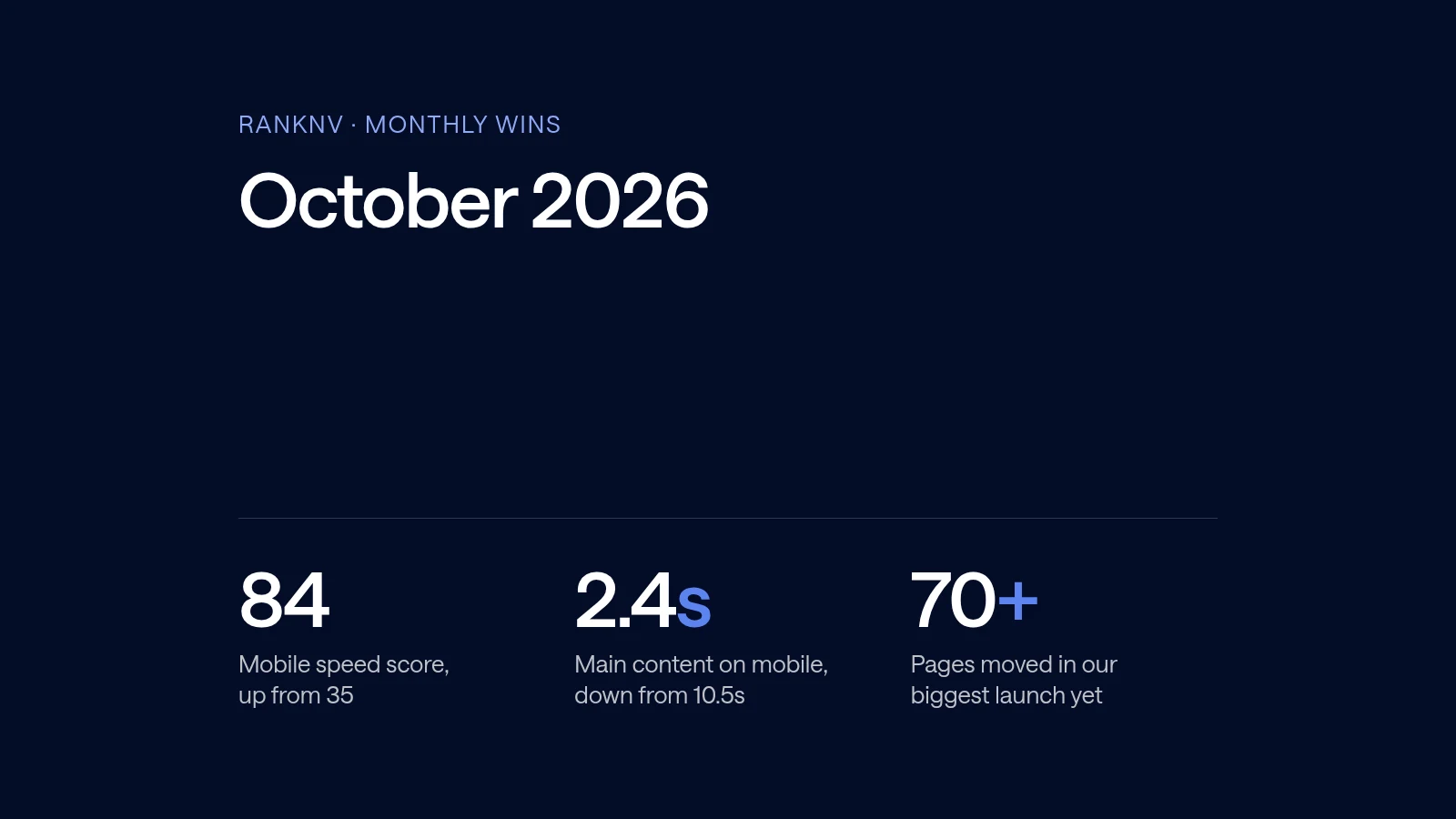
October 2026: more than 70 pages moved. Our biggest launch to date moved more than 70 pages from an old site. Every old URL was mapped to its new page and checked before go-live. Read the October wins.
Other recent and current moves: a redirect map covering 77 live URLs for an insurance broker's new 168-page site, a Squarespace to WordPress move for a clinic fit-out business, and a rebuild that moved a youth programs organisation off GoDaddy.
He did all the content strategy and mapping out of the outline and how it should be structured and made it all come together in a quality website that works. I’ve had more engagements and enquiries in the last 3 months, than i did with my old website was live.
What sets the cost and timing
Every migration is quoted as a fixed project before work starts. These are the things that change its size.
- How many URLs the site has, including blog posts, PDFs and images that other sites link to.
- Where it is moving from. WordPress to WordPress is simpler than leaving a site builder with its own URL formats.
- How many forms, booking tools, payment links and tracking tags need to come across.
- Whether the content is changing at the same time as the move.
Dates go in the written plan once we have seen the site. The watching period after launch is about six weeks either way.
To get started we need your current website address, where it is moving to, and your launch date if you have one.
Frequently Asked Questions
Will our rankings drop after the migration?
Some movement is normal while Google recrawls the site, and Google says medium-sized sites can take a few weeks or more to settle. A full redirect map and launch checks keep the dip small and short, and we watch it until it settles. Nobody can honestly promise zero movement.
How long should we keep the redirects?
As long as you can. Google recommends at least a year. We leave them in place permanently unless there is a reason not to.
Do we need to keep our old domain?
Yes. Keep it registered and redirecting. Links from other websites, old emails and printed material still point at it.
Our traffic dropped after someone else moved our site. Can you fix it?
Often, if it is caught early. We rebuild the old URL list from Search Console, analytics and archived copies of the site, then redirect each one to the right page. For problems the move didn't cause, see technical SEO.
Will our email be affected?
Only if your domain's DNS records change. We copy the MX, SPF and DKIM records before any nameserver change and check email works after the switch. Moving mailboxes to a new email provider is a separate job, and we will tell you if your move needs it.
Can you migrate a site another agency built?
Yes. We start with the same register and baseline either way, whoever built the old site.
What do you need from us?
Access to the current site, its hosting or platform account, the domain registrar, Search Console and Google Analytics. If you run Google Ads, read access too, so we can check conversions still count after launch.
Before and after the move
Where the site lands: managed WordPress hosting with daily backups, SSL and uptime monitoring. Moving onto our hosting is free.
Crawl, index and speed faults, including ones a past move left behind.
Updates, security and small fixes once the new site is live.
From Insights
Monthly Wins
Our biggest launch yet, with more than 70 pages moved, plus faster sites and safer hosting.

Website Security
Why plugin and theme flaws are the usual way in, and what we watch for after a launch.