

Moving platform or domain without losing rankings.
Technical SEO
Technical SEO that removes what is holding your rankings back.
Google has to crawl, index and load a page before it can rank it. We find the technical problems, fix them on WordPress sites or brief your developer, and keep checking so they stay fixed.
What we check, and what each problem costs you
A technical audit covers a long list. These are the areas that most often cost Australian service businesses rankings and enquiries.
| Area | What we check | What it costs you if it is wrong |
|---|---|---|
| Indexing | Which pages Google has indexed, which it has left out, and why | Service pages that never appear in search, however good they are |
| Crawling | Robots rules, sitemaps, internal links and orphan pages | Google spends its time on the wrong pages, or never finds new ones |
| Redirects and broken links | Old URLs, redirect chains and links that lead to errors | Lost rankings from old pages, and visitors who hit a dead end |
| Duplicate pages | Canonical tags, URL parameters and near-identical pages | Two of your pages competing for the same search, and both ranking lower |
| Speed and page experience | Core Web Vitals, image weight, scripts and hosting response | Slow pages on mobile, where most local searches happen |
| Structured data | Organisation, service, FAQ and breadcrumb markup | Search engines and AI tools with a less clear picture of your business |
Signs you have a technical problem
Technical problems rarely announce themselves. These are the symptoms we see most often.
- Pages that never show up. Search Console lists important pages as crawled or discovered but not indexed.
- A drop after a change. Traffic fell after a redesign, a new theme, a plugin update or a domain move.
- Slow on mobile. The site feels fine on the office computer and slow on a phone.
- Rankings that bounce. Two similar pages take turns ranking for the same search.
- Errors piling up. Broken links, redirect loops and 404 pages nobody has looked at in months.
Google's Page indexing report and its guide to Core Web Vitals are where we start.
What you get
A technical audit
Indexing, crawling, redirects, duplicates, speed and structured data, ranked by impact.
Fixes, not just a report
We fix WordPress sites ourselves, or write a clear brief for your developer.
Search Console set up properly
Sitemaps submitted, errors tracked and the right people alerted.
Speed improvements
Images, scripts and caching tuned, starting with your most visited pages.
Structured data
Markup that describes your business, services and FAQs accurately.
Monthly monitoring
New errors caught and fixed before they cost you rankings.




Our approach
How we do technical SEO
Find it, fix it, keep it fixed.
Crawl the site and read Search Console
We crawl every URL and compare it with what Google says it has indexed.
Rank the issues by impact
Problems on your money pages come first. Cosmetic warnings wait.
Fix and verify
We make the fixes on staging where possible, then confirm them in Search Console.
Monitor every month
New errors, slow pages and indexing drops are caught early and fixed.
How we do it differently
We fix what we find
Plenty of audits end as a long PDF of warnings. Ours ends with the work done.
Most technical audit tools flag hundreds of items, and many do not matter. We sort the list by what affects your important pages, fix those first, and leave the noise alone.
Because we build and look after WordPress sites, we can make most fixes ourselves. If another developer manages your site, they get a short, specific brief instead of a spreadsheet. Duplicate pages are handled with the methods in Google's guide to canonical URLs.
Client result
Acctivate
On 22 October 2026 we shipped the technical fixes Acctivate's director had asked for: broken links, indexing issues and page speed on their WordPress site.
Mobile PageSpeed went from 45 to 70, and desktop from 71 to 89. The fixes sit alongside the on-page and local work that brought 107% more website clicks from the firm's Google Business Profile.
What SEO clients say
Josh is an SEO wiz! He knows google and its algorithm intimately and delivers beautiful websites which speak to those ranking criteria. No one else I would trust with my website or SEO.
Christian Harris


Have used multiple seo agencies over the last 5 years and spent big, spent small and everything in between and no one was able to show consistent results. Some even went backwards. Josh has managed our seo for the last 6 months and is making some great improvement on possibly the hardest industry to work with (insurance).
Daniel Ufer


Claimboost
Priority Insurance Brokers
Cost and timing
A one-off audit and fix is quoted up front. Ongoing monitoring is part of a monthly SEO plan.
We agree the timing up front, based on the size of the site. If your site has just moved, see website migrations. For day-to-day upkeep, see website care.
Questions owners ask about technical SEO
Do you only work on WordPress?
We fix WordPress sites directly. For other platforms we audit the site and write a clear brief for your developer or platform support.
Will technical fixes alone improve rankings?
They remove what is holding good pages back. If the pages themselves are thin or missing, that is on-page SEO or content strategy work.
Do you need access to our site?
Yes, for fixes: an admin login on a staging copy if you have one, plus Search Console and Google Analytics access.
How do you test speed?
With Google's PageSpeed Insights and Search Console's Core Web Vitals report, on mobile and desktop, before and after each change.
What does the audit cost?
It is quoted up front based on the size of the site. Ongoing monitoring is part of a fixed monthly plan, with no lock-in.
Where to go next
Once Google can read the site, make each page worth ranking.
Updates, backups and security that keep fixes in place.
The full monthly SEO plan.
From Insights
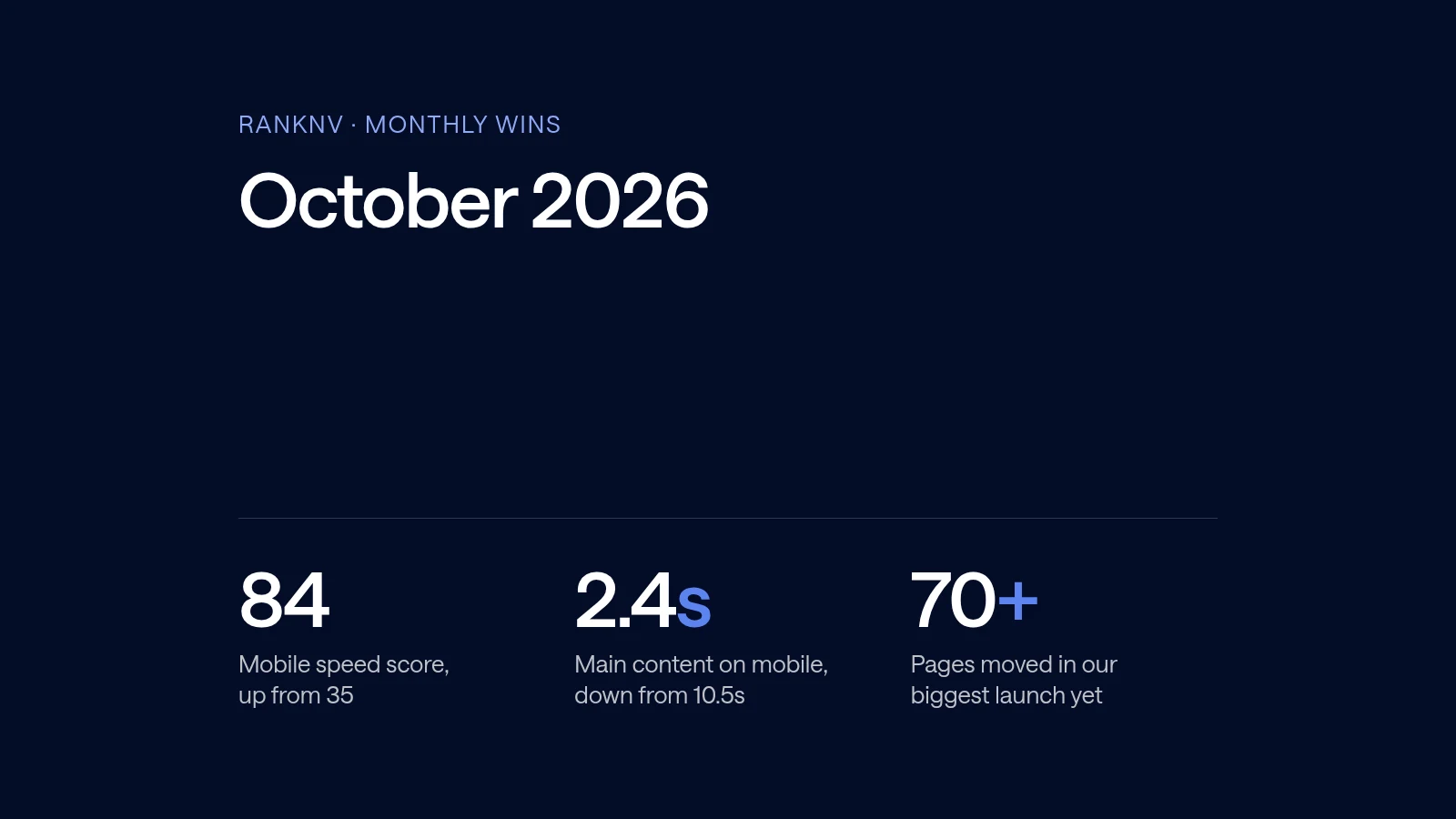
Monthly Wins
Faster sites, our biggest launch yet and safer hosting.

AI Search
What ChatGPT's business listings mean for local businesses.